
Guide for Writers#
Browser Editor
If you want to contribute concepts, text, or data stories to the HaCLAthon directly in your browser, this path is for you. We use a visual, browser-based editor (Decap CMS) to automatically convert your text into Pull Requests.
No GitHub account?
Simply write your text in Word, Google Docs, or Markdown, upload it to our File Drop Folder, and email us. We will format and publish it for you!
Step 1: Getting Access#
Create a free GitHub account.
Email fdz@ioer.de with your GitHub username.
Accept the email invitation you receive from GitHub.

Fig. 3 Invitation visible when viewing the Github Repository of the HaCLAthon.#
Step 2: Logging In#
Click the Collaborative Editor link.
Click “Sign in with GitHub” and authorize the IOER application.
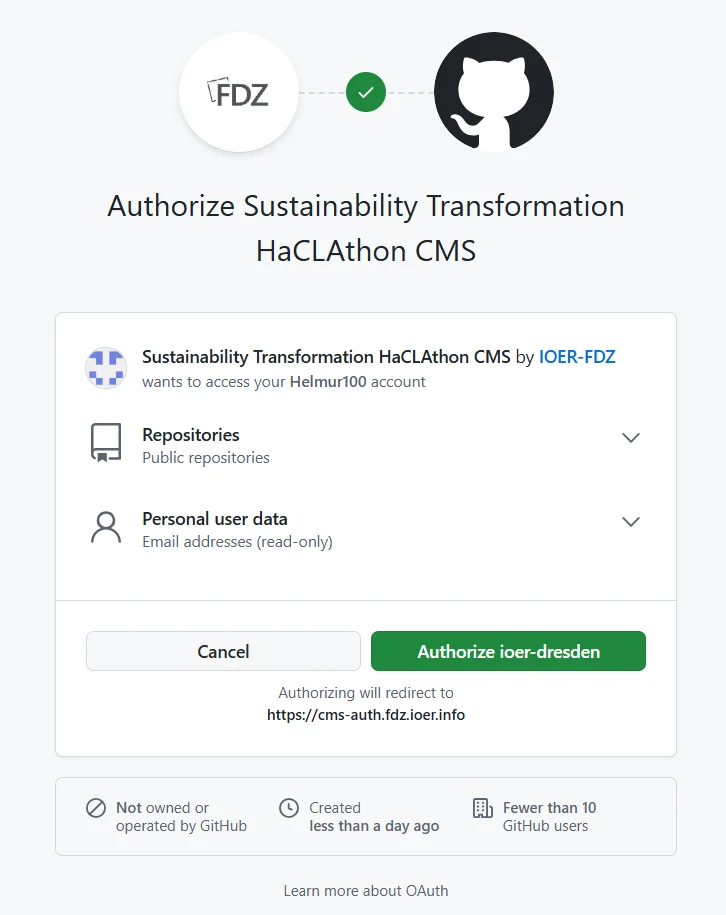
Fig. 4 Sign-in through our Github integration.#
Step 3: Editorial Workflow#
Your dashboard shows a Kanban board: Drafts, In Review, and Ready.
Click “New Book Chapter” to start fresh.
Click an existing chapter name to edit it.
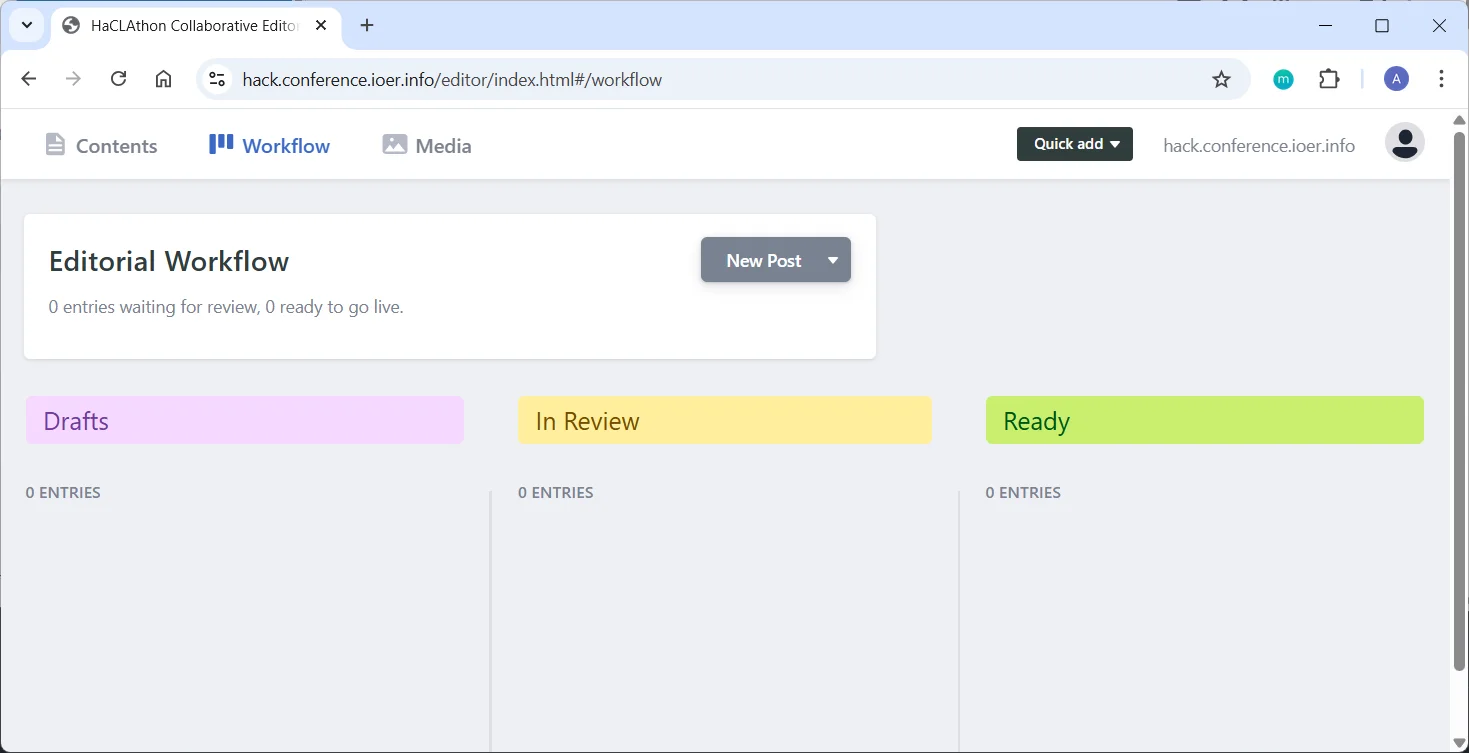
Fig. 5 Stages of content contribution.#
Step 4: Writing and Formatting#
Use the formatting toolbar (Bold, Italic, Lists) or type Markdown directly.
Adding Images:
Click the + icon in the toolbar and select “Image”. The system automatically uploads your image to our resources/ folder and inserts it into your text.
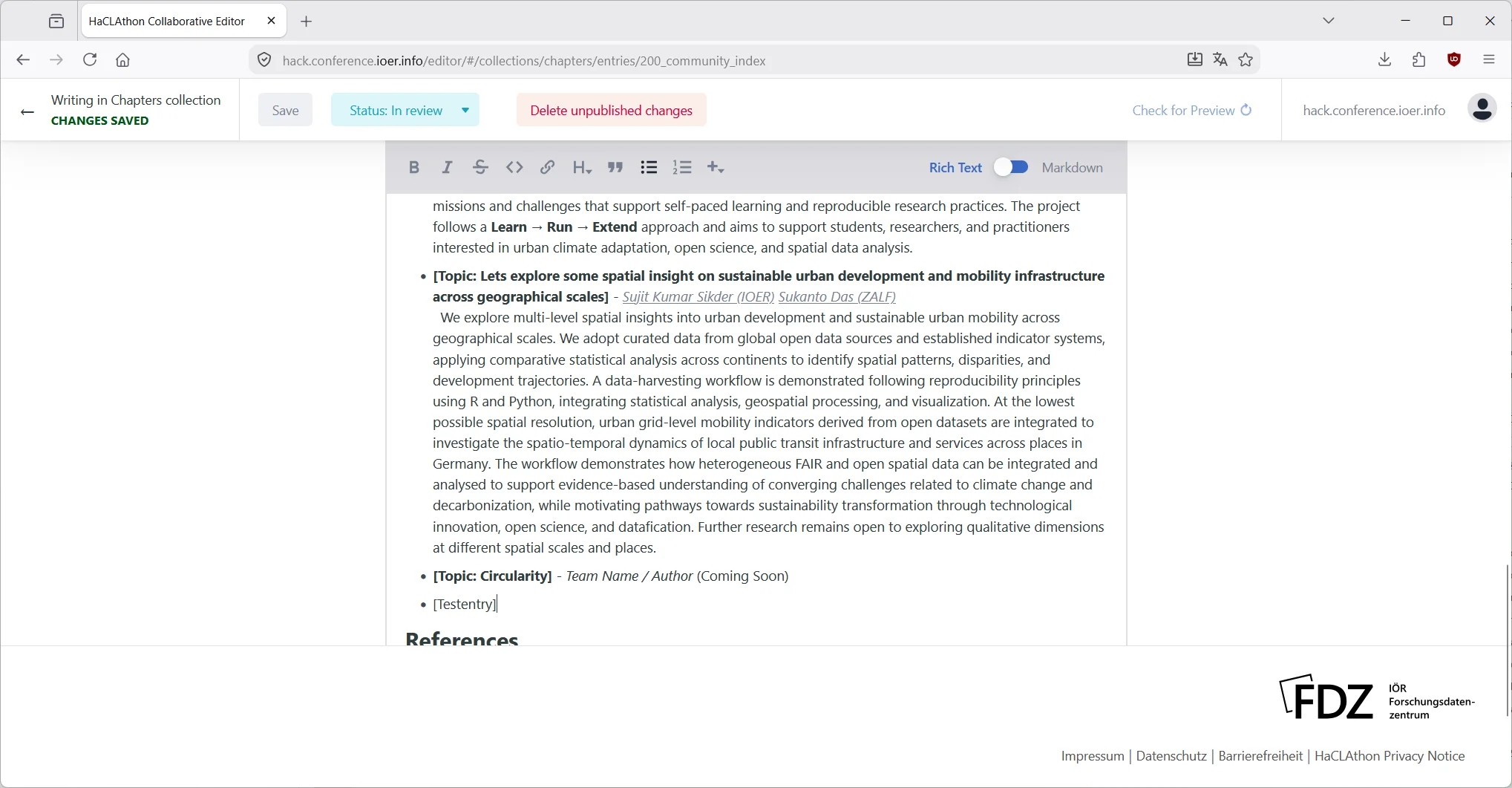
Fig. 6 Edit text in the editor.#
Step 5: Submitting for Review#
When you are ready:
Click Save.
Change the status from “Draft” to “In Review”. Our curation team will review, format, and publish your chapter to the live website at https://hack.conference.ioer.info.

Fig. 7 Your contribution will be available as a Pull Request in Github and will be merged by the HaCLAthon team.#
Step 6: Iterate#
Publish often! The HaCLAthon thrives on live collaboration. We welcome incremental contributions. Once we merge your changes, you can reopen the editor and continue right where you left off.
Style guidelines
For advanced formatting options, check out our Formatting Conventions.